How to Withdraw PF Online: Step-by-Step Guide (2026 EPFO Rules)
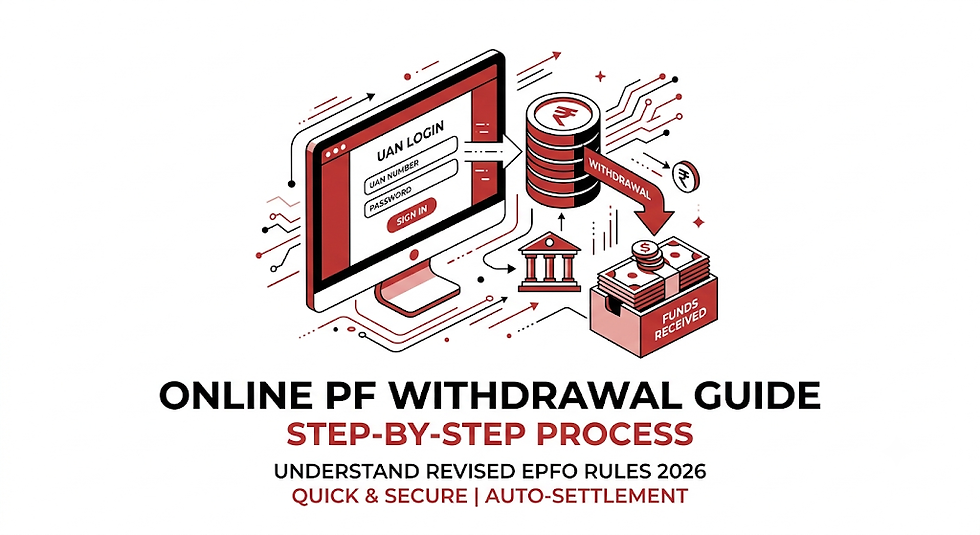
Managing your retirement savings and accessing your money during unexpected life events should never be a frustrating ordeal. Under the latest EPFO 3.0 reforms updated for 2026, the Employees' Provident Fund Organisation has vastly streamlined its online claim submission process. Auto-settlement limits have expanded up to ₹5 Lakhs, processing timelines have dropped to as few as 3–7 days, and 13 traditional claim reasons have been simplified into 3 core categories.
Whether you are looking to pull funds for home construction, medical emergencies, or job transitions, knowing how to withdraw PF online quickly and without claim rejections is an essential financial skill.
This comprehensive, step-by-step guide breaks down everything you need to know about navigating the Member Unified Portal in 2026, including mandatory eligibility criteria, tax implications, forms to select, and key mistakes to avoid.
Key Highlights & Eligibility Rules for 2026
Before diving into the portal steps, you must understand the latest operational guidelines introduced under the EPF Scheme framework.
1. Mandatory Prerequisites
To apply for an online EPF withdrawal, you must ensure the following requirements are met:
Active UAN: Your Universal Account Number (UAN) must be activated via the UMANG App or Unified Portal.
Aadhaar-Linked Mobile Number: Active mobile connection linked with Aadhaar to receive e-KYC One-Time Passwords (OTPs).
Updated Bank Details: Bank account number and IFSC must be verified and seeded with your UAN (matching name spelling).
PAN Details: PAN must be linked on the portal to prevent excessive Tax Deducted at Source (TDS).
Fresh e-Nomination: Complete e-nomination filed under current 2026 regulations.
2. The 2026 Simplified Advance Categories
The EPFO replaced cumbersome legacy reasons with three primary advance/partial withdrawal umbrellas:
Essential Needs: Covers medical emergencies for self/dependents, higher education (up to 10 times in service), and marriage (up to 5 times).
Housing Needs: Home purchases, plot acquisition, construction, or loan repayments after fulfilling minimal tenure terms (up to 75% of balance).
Special Circumstances: Natural calamities, factory closures, or sudden job loss.
Note on Mandatory 25% Lock-in: Under full/partial withdrawal rules, 25% of your total EPF corpus must remain locked until final retirement (age 55) or specified full-settlement criteria to protect your long-term safety net.
Step-by-Step Guide on How to Withdraw PF Online
Follow these exact steps to file your claim on the EPFO Member Unified Portal.
Login to Portal ➔ Select Online Services ➔ Verify Bank Details ➔ Choose Claim Form ➔ Enter OTP & Submit
Step 1: Sign In to the Unified Member Portal
Visit the official EPFO Member Unified Portal (unifiedportal-mem.epfindia.gov.in).
Enter your 12-digit UAN, Password, and the visual Captcha code.
Click Sign In.
Step 2: Verify KYC & Member Details
Go to the top menu bar and click on the Manage tab, then select KYC.
Verify that your Aadhaar, PAN, and Bank Account details show as "Verified" by your employer/UIDAI.
Under the View menu, inspect your Profile and Service History to make sure your Date of Joining (DOJ) and Date of Exit (DOE) (if unemployed) are correctly recorded.
Step 3: Initiate the Online Claim
Click on Online Services from the main navigation menu.
Select Claim (Form-31, Form-19, Form-10C & Form-10D) from the drop-down menu.
Step 4: Verify Your Bank Account
An auto-populated profile page will appear on your screen showing your personal details.
Locate the Bank Account No. field. Type the exact last 4 digits (or full account number, depending on UI prompt) of the bank account registered with your UAN.
Click Verify.
Read and accept the Certificate of Undertaking pop-up by clicking Yes.
Step 5: Select the Correct Claim Type
Click on Proceed for Online Claim.
Locate the drop-down menu labeled I Want To Apply For.
Choose the appropriate claim form based on your requirement:
PF Advance (Form 31): For partial withdrawal while currently employed.
Only PF Withdrawal (Form 19): For full PF settlement after leaving employment (12 months waiting rule apply).
Only Pension Withdrawal (Form 10C): For withdrawing the EPS pension amount.
Step 6: Enter Advance Details & Address
If selecting Form 31 (PF Advance), choose the Purpose for which advance is required from the options (e.g., Essential Needs, Housing).
Enter the Amount Required.
Provide your current residential address matching your official records.
Step 7: Upload Supporting Documents & Forms
If withdrawing a total sum exceeding ₹50,000 prior to 5 continuous years of service, upload Form 15G / Form 15H to avoid high TDS deductions.
Upload a scanned image or PDF of your Bank Cheque / Passbook (showing clear account number, name, and IFSC code) if prompted.
Step 8: Authenticate via Aadhaar OTP & Submit
Read the consent declaration checkbox at the bottom and check the box.
Click on Get Aadhaar OTP.
Enter the OTP received on your Aadhaar-registered mobile number.
Click Validate OTP and Submit Claim Form.
Download the system-generated acknowledgement receipt for your records.
Comparison of EPF Forms and Processing Limits
To help you choose the right options during application, here is a breakdown of EPF withdrawal forms, eligibility limits, and auto-settlement caps:
Form Type | Purpose / Scenario | Eligibility Limit | Max Auto-Settlement Limit |
Form 31 | Partial Advance (In-service) | Up to 75% of balance (subject to reason) | ₹5,000,000 (₹5 Lakhs) |
Form 19 | Full PF Settlement | 100% eligible corpus (75% immediate post job loss, 25% post 12 months) | Full eligible corpus balance |
Form 10C | Pension Corpus Withdrawal | Dependent on total service length (6 months to 10 years) | Full scheme certificate or cash value |
Form 15G/15H | Tax Avoidance Declaration | Prevents 10%–20% TDS for continuous service under 5 years | N/A (Tax Declaration Form) |
Tax Rules on EPF Withdrawal (2026 Matrix)
Tax implications are critical when planning an online PF withdrawal:
More than 5 Years of Continuous Service:
100% Tax-Free. No TDS applies regardless of the withdrawn amount.
Less than 5 Years of Continuous Service:
Amount < ₹50,000: No TDS deducted.
Amount ≥ ₹50,000 with PAN: TDS deducted at 10%.
Amount ≥ ₹50,000 without PAN: TDS deducted at the maximum marginal rate (30% or higher).
Submitting Form 15G/15H: If total taxable income is below the exemption slab, uploading Form 15G (for individuals below 60 years) or Form 15H (for senior citizens) waives TDS.
Common Reasons for Claim Rejections & How to Fix Them
Common Failure Points: Name/DOB Mismatch | Unverified Bank Account | Non-functional Aadhaar OTP | Missing Form 15G
Name or Date of Birth Mismatch: Even minor spelling differences between your UAN database and Aadhaar records will fail automated cross-checks. Use the "Joint Declaration" option on the portal to align your details beforehand.
Unclear Bank Cheque Upload: Uploading a blurry cheque image without clear print of your name, account number, or IFSC code leads to immediate manual rejection.
Missing Date of Exit (DOE): When applying for Form 19/10C post-resignation, your previous employer must mark your DOE on the portal.
Unlinked PAN: Submitting a high-value withdrawal without seeding PAN leads to heavy tax deductions.
Frequently Asked Questions (FAQs)
Q1. How to withdraw PF online if my current mobile number is not linked to Aadhaar?
A. You cannot complete the online claim submission without an active Aadhaar OTP. You must first update your mobile number at an official Aadhaar Seva Kendra. Once updated, your new mobile number will automatically register for receiving EPFO OTPs.
Q2. How many days does it take for online PF claim money to hit my bank account?
A. Under the 2026 auto-settlement system, advance claims under Form 31 (up to ₹5 Lakhs) are routinely settled within 3 to 7 working days directly into your linked bank account. Final settlement claims (Form 19) take around 10 to 20 working days.
Q3. Can I withdraw 100% of my PF balance while still working in my company?
A. No. You cannot withdraw your entire balance while actively employed. You can only apply for partial advances (Form 31) under simplified categories like housing, medical needs, or education.
Q4. What is the process on how to withdraw PF online using the UMANG mobile app?
A. Download the UMANG App, navigate to EPFO Services, tap Claim (Form 31, 19, 10C), sign in using your UAN and mobile OTP, verify bank credentials, and submit your request.
Helpful Tools and Quick Resource Links
EPFO Member Portal: unifiedportal-mem.epfindia.gov.in
Grievance Portal (EPFiGMS): epfigms.gov.in (For delayed claims exceeding 20 days)
UMANG Mobile Portal: Download via Google Play Store / Apple App Store for UAN activation via Face Authentication


Comments