PF Withdrawal After Resignation: Complete Guide (2026 Rules & Step-by-Step Process)
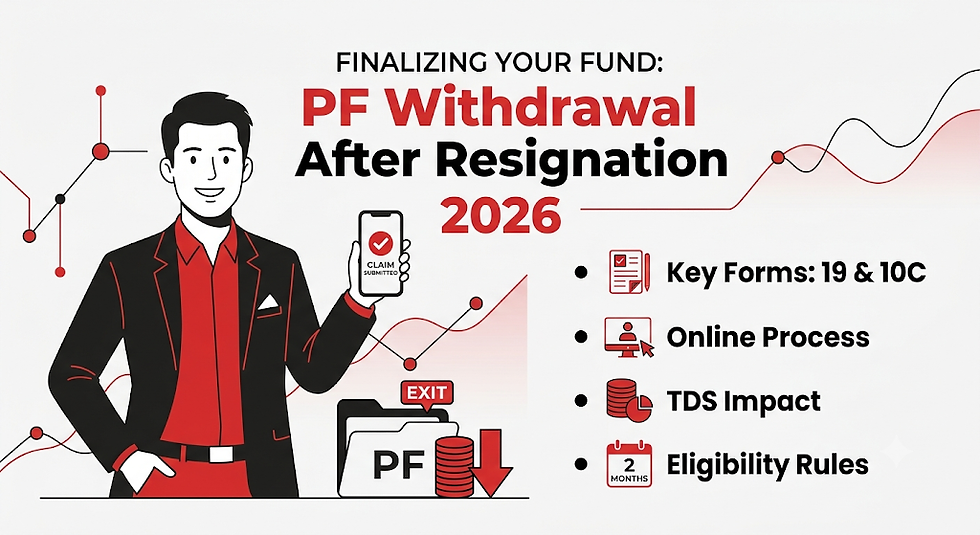
Resigning from a job brings a wave of transitions—from clearing exit formalites to planning your financial runway. Among all financial tasks post-resignation, managing your Provident Fund (PF) balance requires immediate attention.
Whether you plan to cash out your accumulated corpus to fund a career break or transfer it to a new employer, navigating the Employees' Provident Fund Organisation (EPFO) framework can feel overwhelming.
This complete guide breaks down everything you need to know about PF withdrawal after resignation under the updated 2026 EPFO guidelines—including eligibility, online claim steps, tax implications, and key forms.
What is EPF and EPS? (Understanding Your Corpus)
When you are employed in an organization covered under the EPF Act, 12% of your basic salary plus Dearness Allowance (DA) goes toward your Provident Fund. Your employer matches this 12% contribution, but it is split into two separate accounts:
EPF (Employees' Provident Fund): 3.67% goes into your PF account.
EPS (Employees' Pension Scheme): 8.33% goes into your pension account (capped at ₹1,250/month under standard wage ceilings).
Both portions continue to accumulate interest annually as declared by the EPFO.
EPF Withdrawal Rules After Resignation in 2026
If you are considering a PF withdrawal after resignation, you must abide by specific EPFO rules regarding waiting periods and settlement limits:
After 1 Month of Unemployment: You are eligible to withdraw up to 75% of your total accumulated EPF balance. This rule ensures you have liquidity while keeping a quarter of your savings intact for retirement.
After 2 Months (60 Days) of Unemployment: You can apply for a 100% final settlement of your EPF balance. You must declare that you are currently unemployed and have not joined another EPF-covered firm.
Exceptions to the 2-Month Rule: If you resign due to permanent disability, relocation abroad, or if you are a female employee resigning due to marriage, pregnancy, or childbirth, you do not have to wait for 2 months to claim a 100% withdrawal.
Key Forms Required for PF Withdrawal After Resignation
To initiate your settlement online via the Member Unified Portal, you need to understand three core forms:
Form Name | Purpose | Eligibility Condition |
Form 19 | Final EPF Settlement (Employee + Employer share + Interest) | Unemployed for 2+ months, or retired. |
Form 10C | EPS Pension Contribution Withdrawal or Scheme Certificate | Service duration is more than 6 months but less than 10 years. |
Form 31 | Partial / Advance EPF Withdrawal | Active employment or specific needs (medical, housing, education). |
Crucial Note on Pension (Form 10C): If your total continuous service is more than 10 years, you cannot withdraw your EPS pension as a lump sum. Instead, you must apply for a Scheme Certificate via Form 10C to lock in your pension benefits until you reach retirement age (58 years).
Prerequisites Before Filing an Online Claim
Before submitting your claim on the EPFO portal, verify that these prerequisites are completed:
Active UAN: Your Universal Account Number must be activated.
Linked Aadhaar & PAN: Your Aadhaar and PAN must be linked and verified under the KYC section.
Verified Bank Details: An active bank account with matching name details must be seeded into your account. You will need a cancelled cheque or bank passbook copy displaying your name, account number, and IFSC code.
Date of Exit (DoE) Updated: Your former employer must mark your "Date of Exit" on the EPFO portal. If they fail to do so, you can update it yourself under Manage > Mark Exit using Aadhaar OTP verification after 2 months of leaving.
Step-by-Step Online Process for PF Withdrawal After Resignation
1.Log in to the EPFO Unified Portal:Step 1.
Visit the EPFO Member Unified Portal. Enter your 12-digit UAN, password, and the captcha code to log in.
2.Verify KYC & Service Details:Step 2.
Navigate to View > Service Details to ensure your Date of Exit (DoE) is correctly updated by your employer. Next, check Manage > KYC to verify that your Aadhaar, PAN, and Bank details are marked as approved.
3.Access the Online Claim Section:Step 3.
Go to the Online Services tab in the top menu and click on Claim (Form-31, 19 & 10C).
4.Verify Bank Account:Step 4.
A pre-filled form will display your personal details. Enter the last 4 digits of your linked bank account number and click Verify. Sign the Certificate of Undertaking when prompted.
5.Select Claim Type:Step 5.
Click on Proceed for Online Claim. Under the "I want to apply for" drop-down, select Only PF Withdrawal (Form 19) for your final PF settlement. (Repeat this step separately for Only Pension Withdrawal (Form 10C) if eligible).
6.Upload Documents & Submit OTP:Step 6.
Upload a scanned copy of your cancelled cheque or passbook (in JPEG/PDF format, usually between 100 KB and 500 KB). Fill in your current residential address, check the disclaimer box, and click Get Aadhaar OTP. Enter the OTP received on your Aadhaar-linked mobile number to finalize the submission.
Tax Implications on PF Withdrawal After Resignation
Understanding the tax treatment on your withdrawn EPF corpus is vital to avoid unexpected Tax Deducted at Source (TDS):
Service Period of 5 Years or More: If you have completed a cumulative 5 years of continuous service (across one or multiple employers), your entire EPF withdrawal is completely tax-free under Section 10(12) of the Income Tax Act.
Service Period Under 5 Years:
Withdrawal Below ₹50,000: No TDS is deducted.
Withdrawal Above ₹50,000 (with PAN): TDS is deducted at 10% under Section 192A.
Withdrawal Above ₹50,000 (without PAN): TDS is deducted at the maximum marginal rate of 20%.
Form 15G / Form 15H: If your total taxable income for the financial year is below the basic exemption slab, you can submit Form 15G (or Form 15H for senior citizens) along with Form 19 to avoid 10% TDS deduction.
Should You Withdraw or Transfer Your PF Balance?
Before initiating a PF withdrawal after resignation, weigh the benefits of withdrawing against transferring your account to your next employer.
Parameter | PF Withdrawal | PF Transfer |
Primary Advantage | Immediate liquidity for emergency funds. | Compounding interest continues tax-free. |
Tax Impact | Taxable if continuous service is under 5 years. | Zero tax impact; service period carries forward. |
Pension Continuity | EPS corpus is cashed out, resetting service history. | Pension service years accumulate toward eventual monthly pension. |
Retirement Impact | Depletes long-term retirement savings. | Preserves the high-yield savings cushion intact. |
Frequently Asked Questions (FAQ)
Q1: How many days does it take for PF withdrawal after resignation online processing?
A: Once you submit Form 19 and Form 10C online through the EPFO portal, processing typically takes 7 to 20 working days. Automated claims with updated Aadhaar-linked KYC are often settled within 7 to 10 working days directly into your bank account.
Q2: What are the primary reasons for online PF withdrawal after resignation rejection?
A: Common causes for rejection include mismatched names between Aadhaar, Bank, and EPFO records, illegible images of the cancelled cheque, incomplete KYC details, or trying to apply before the mandatory 2-month unemployment gap is marked.
Q3: Can I withdraw my pension amount (EPS) if I have worked for less than 6 months?
A: No, if your total continuous service is under 6 months, you cannot claim EPS pension withdrawal using Form 10C. However, you can still withdraw your core EPF balance via Form 19.


Comments