CAT 2026 Registration Guide: Step-by-Step Application Process
- Mar 7
- 4 min read
INTRODUCTION
Preparing for the Common Admission Test (CAT) is a journey that begins long before you enter the examination hall. The first and most critical hurdle is the CAT 2026 Registration Process. For MBA aspirants, this isn't just a form; it's the gateway to prestigious IIMs and top-tier management institutes across India.
In 2026, the digital landscape of entrance exams has evolved to be more streamlined yet stricter regarding data accuracy. This guide provides a comprehensive walkthrough of the CAT 2026 Registration Process, ensuring you navigate the nuances of course selection, stream details, and document uploads without a hitch.
CAT 2026 Registration Process: Key Highlights
Before diving into the steps, let’s look at the projected timeline and essential details for the 2026 cycle.
Event | Tentative Date (2026) |
Official Notification Release | Last week of July 2026 |
Registration Start Date | First week of August 2026 |
Registration Last Date | Third week of September 2026 |
Admit Card Release | First week of November 2026 |
CAT 2026 Exam Date | November 29, 2026 (Last Sunday) |
Don't wait for the final deadline. High traffic on the official iimcat.ac.in portal often leads to technical glitches in the final 48 hours.
Step-by-Step Guide to the CAT 2026 Registration Process
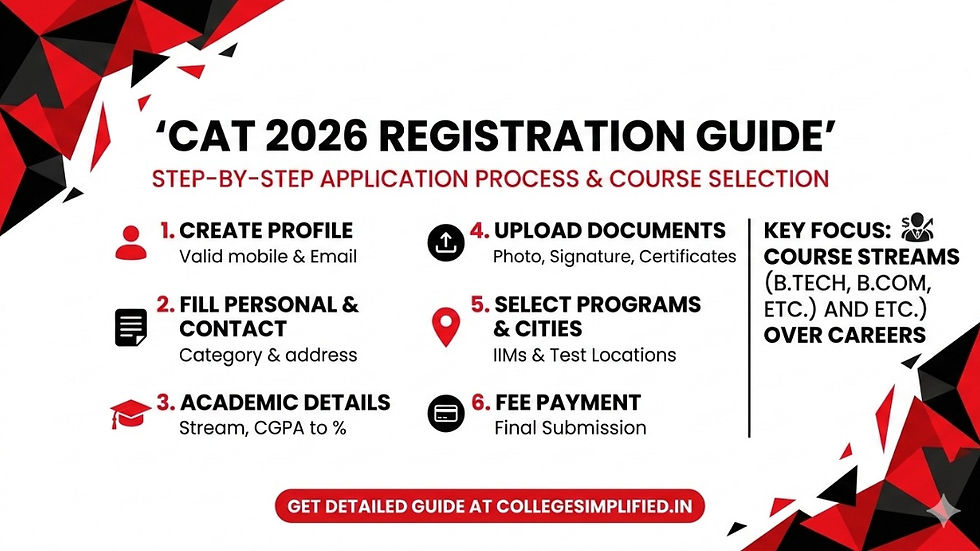
The application is divided into six main sections. Accuracy in the "Academic" and "Program" sections is paramount, as these details determine your eligibility for specific management streams.
Step 1: Online Registration & OTP Verification
The journey begins with creating a profile. You will need a functional mobile number and a personal email ID that you plan to keep active for at least the next year.
Visit the official website and click on "New Candidate Registration."
Enter your name (exactly as it appears on your Class 10 certificate), Date of Birth, and contact details.
Generate and validate the OTP. You will receive a unique User ID and Password via SMS and email.
Step 2: Filling Personal & Communication Details
Log in using your new credentials. Here, you will enter:
Personal Info: Gender, Category (General/EWS/NC-OBC/SC/ST), and Nationality.
Communication: Permanent and current address.
Step 3: Entering Academic Qualifications (Course & Stream Focus)
This is where many candidates stumble. You must provide detailed information about your educational background.
SSC/10th & HSC/12th: Enter aggregate marks for all subjects, not just the "best of five."
Bachelor’s Degree: You must specify your stream (e.g., B.Tech, B.Com, B.Sc, B.A.). If you are in your final year, select the "Awaiting Results" option.
Professional Degrees: If you have completed CA, CS, or ICWA, ensure you enter these details in the specialized section.
Step 4: Uploading Documents
The CAT 2026 Registration Process requires specific digital formats. If your files don't meet these criteria, the system will reject your upload.
Document | Specifications | Format |
Photograph | 1200 x 1200 pixels; < 1 MB | JPEG/JPG |
Signature | 80mm x 35mm; < 80 KB | JPEG/JPG |
Category Certificate | Self-attested; < 200 KB |
Step 5: Selecting Programs and Test Cities
You can select any number of IIM programs (MBA, PGP, PGP-FABM, etc.).
Selection: Choose the interview city for each program carefully.
Test Cities: You must select five preferred test cities. The exam is expected to be held in over 150 cities in 2026.
Step 6: Fee Payment
The final step is the payment of the registration fee. In 2026, the expected fees are:
General/OBC/EWS: ₹2,600
SC/ST: ₹1,300
Common Mistakes to Avoid in CAT 2026 Registration
Ignoring CGPA Conversion: Always use your university’s official formula to convert CGPA to a percentage. If no formula exists, use the standard (CGPA/Max CGPA) x 100.
Incorrect Category Selection: Once the form is submitted, you cannot change your category. Ensure you have a valid Central Government-issued certificate for NC-OBC or EWS.
Mismatched Name: Ensure your name matches your 10th-grade certificate and your government-issued ID (like Aadhaar).
Check out more prep resources: For a deeper look at the exam structure, read our guide on CAT 2026 Syllabus and Exam Pattern.
FAQs: CAT 2026 Registration Process
Q1: What is the eligibility for the CAT 2026 Registration Process?
A1: To qualify for the CAT 2026 Registration Process, you need a Bachelor’s degree with at least 50% marks (45% for SC/ST/PwD). Final-year students are also eligible to apply.
Q2: Can I edit my form after completing the CAT 2026 Registration Process?
A2: Once the fee is paid, you can only edit specific fields (like photo, signature, and test city) during the brief "Correction Window" in late September. Personal and academic details usually remain locked.
Q3: How many test cities can I choose during the CAT 2026 Registration Process?
A3: You are required to select five cities in order of preference during the CAT 2026 Registration Process. IIMs attempt to allot your first choice, but it depends on seat availability.
Q4: Is work experience mandatory for the CAT 2026 Registration Process?
A4: No, work experience is not mandatory. However, if you have it, ensure it is full-time and completed after graduation to be counted during the CAT 2026 Registration Process.
Q5: What are the document requirements for the CAT 2026 Registration Process?
A5: You need a recent passport-size photo, a scanned signature, and category/medical certificates (if applicable) in the specified dimensions and formats to successfully finish the CAT 2026 Registration Process.
Conclusion
The CAT 2026 Registration Process is the first test of your attention to detail—a trait highly valued in future managers. By following this step-by-step guide, you can ensure a stress-free application, allowing you to focus entirely on your preparation and section-wise strategy.
Ready to start your MBA journey?
Stay updated with the latest campus news and admission trends by visiting collegesimplified.in.



Comments